
Troubleshooting Raycus Laser Source Alarms
In certain circumstances, troubleshooting Raycus laser source alarms becomes necessary. Fortunately, these alarms can often be cleared using dedicated software specifically designed for Raycus source monitoring.
This software can be conveniently downloaded here.
Connecting the Raycus Fiber Laser Source
The Raycus fiber laser source utilizes a DB9 serial port for effective communication. Typically, a USB to serial converter is required for establishing a PC connection.
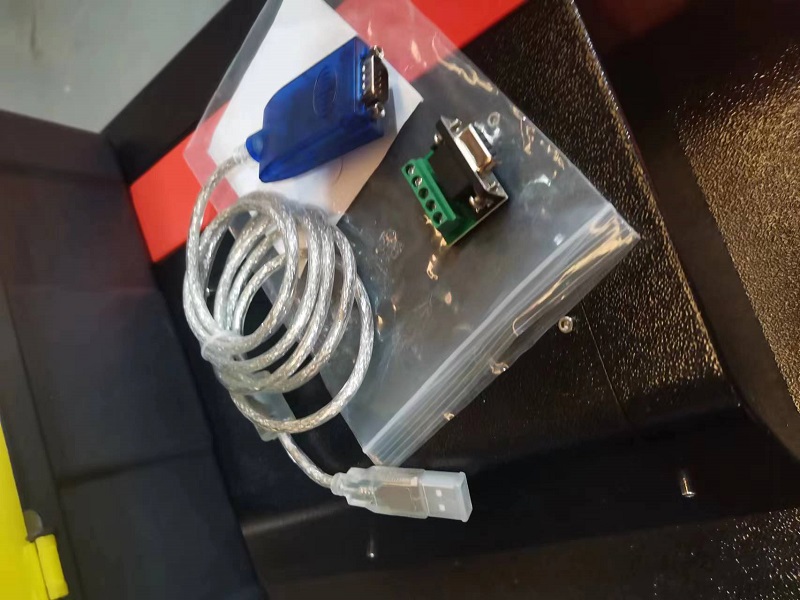
An essential serial communication cable is included with each Raycus laser source, ensuring proper connectivity.
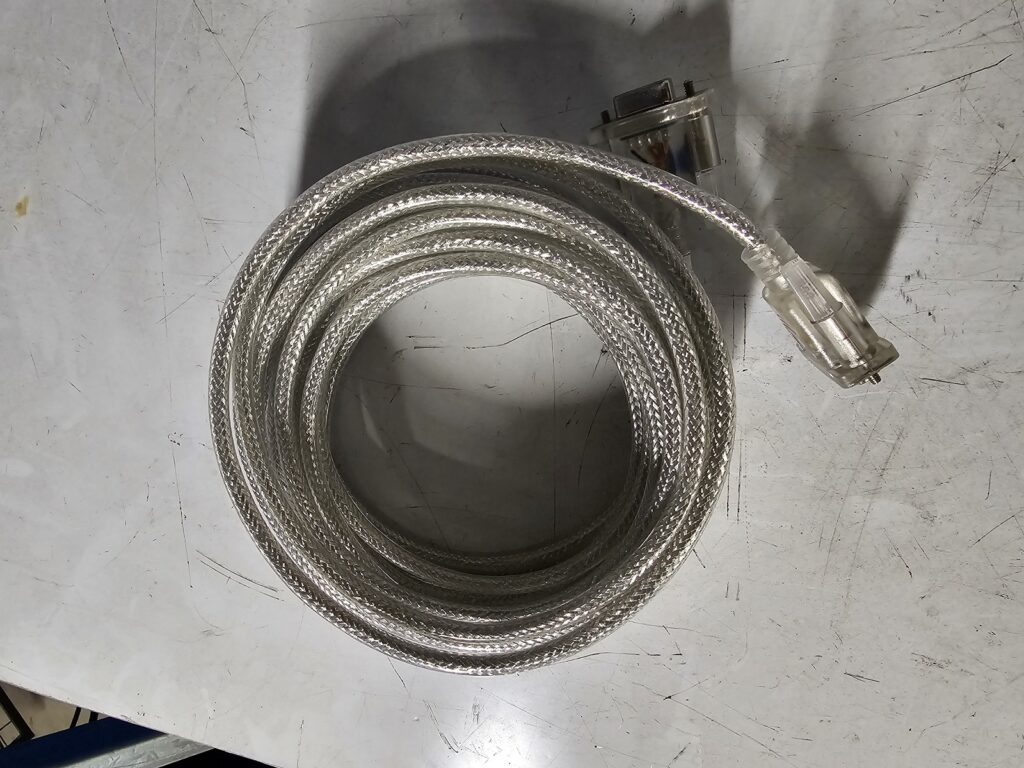
The pinout configuration for the serial cable is detailed in the table below:
| DB9 Female Pin | DB9 Female Pin |
|---|---|
| 1 | 1 |
| 2 | 3 |
| 3 | 2 |
| 4 | 6 |
| 5 | 5 |
| 6 | 4 |
| 7 | 8 |
| 8 | 7 |
| 9 | 9 |
Using the Raycus Diagnostic Software
Once the software package is extracted, run RFLXXXS.exe as an administrator. In the session menu, select the RS232 option to proceed.
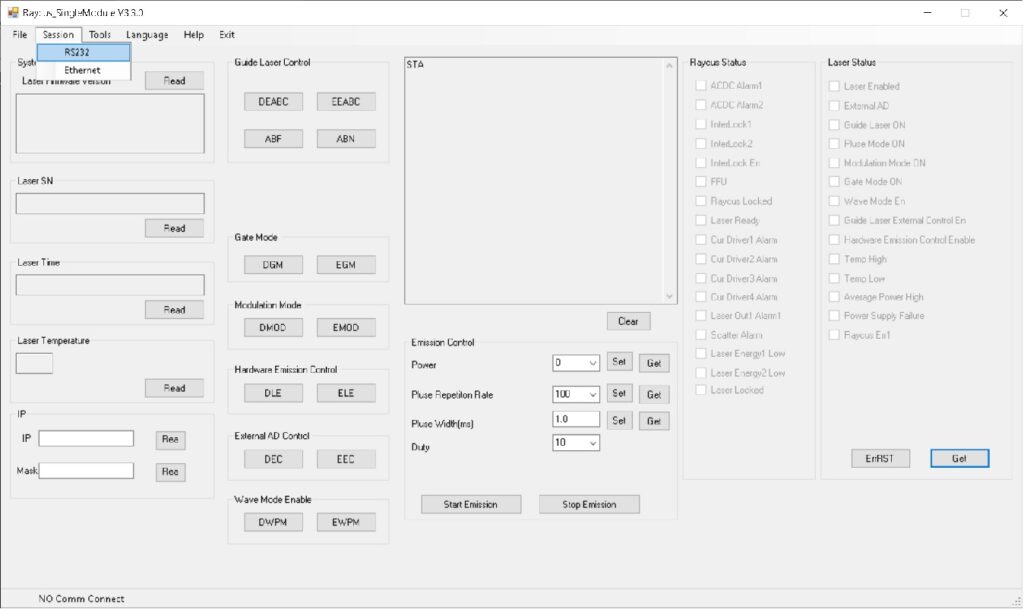
Select the correct COM port and open it as shown below:
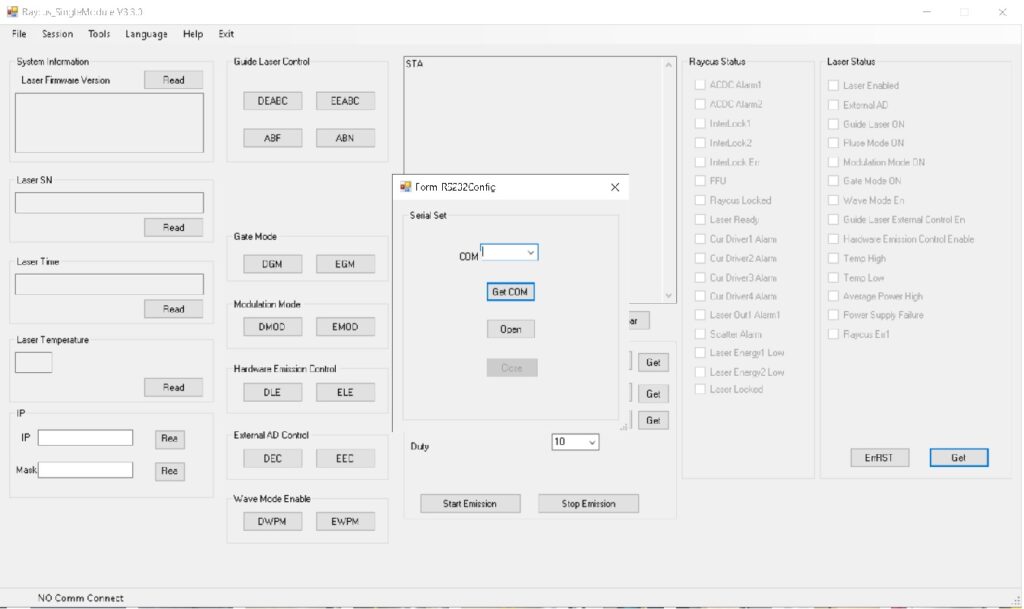
You can verify communication by pressing the Read button:

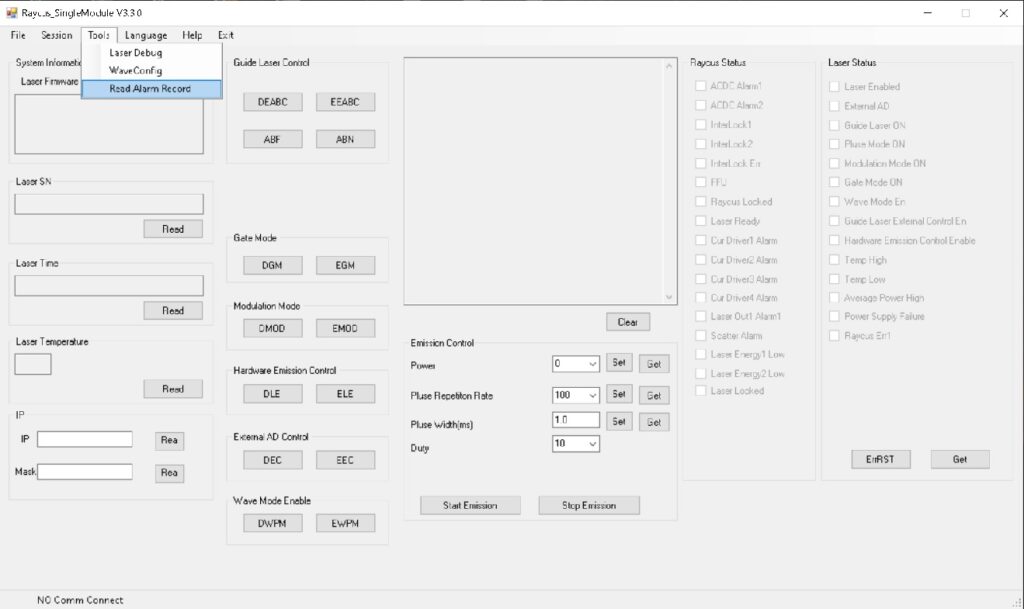
From the tools menu, open the “Read Alarm Record” option.
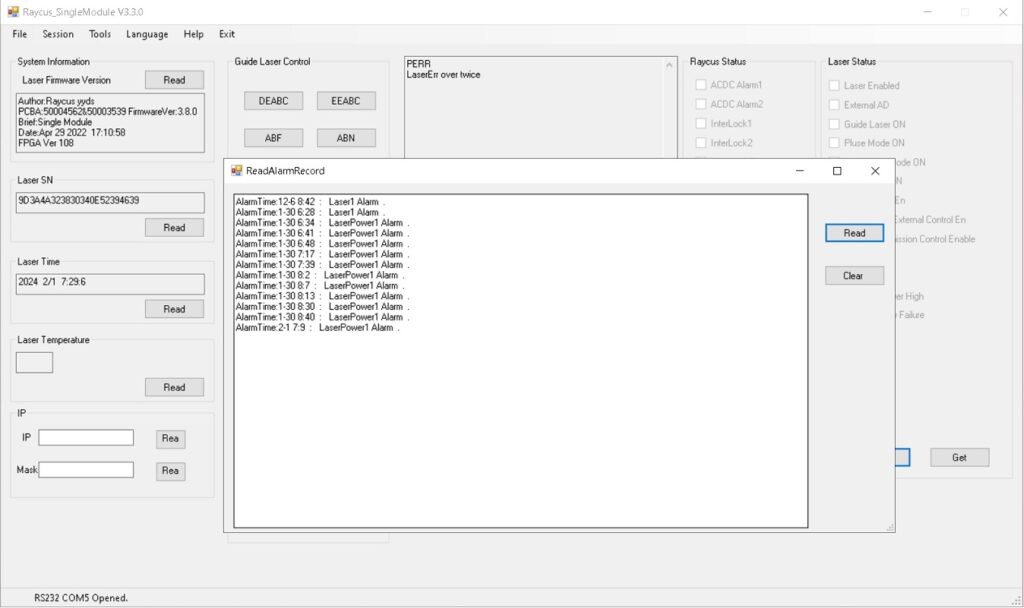
Next, press “Read” and then “Clear”.
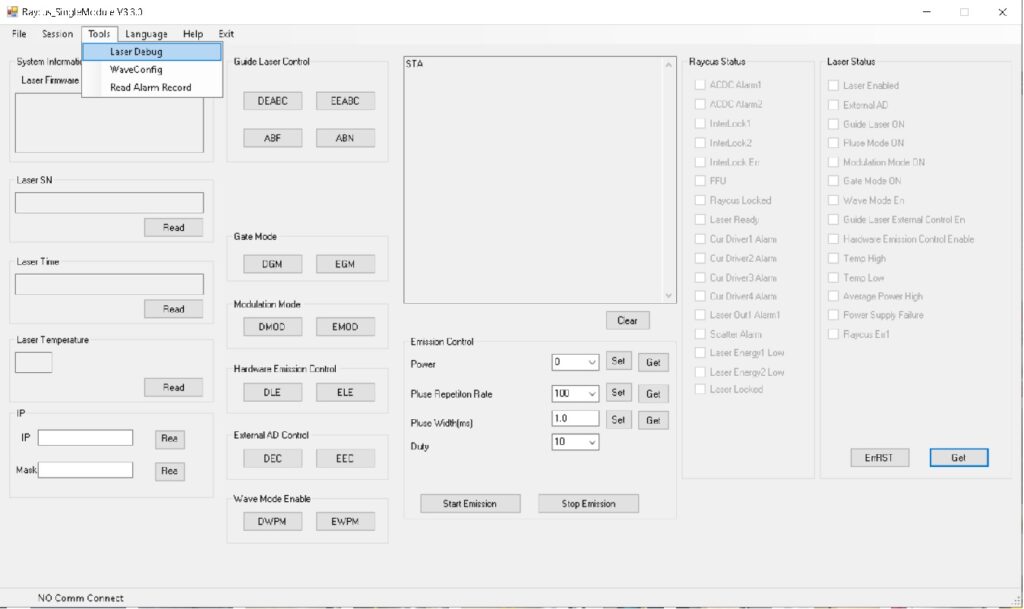
Navigate to the tools menu and select “Laser Debug”.
Enter the password: 1234 and then click “Check”.
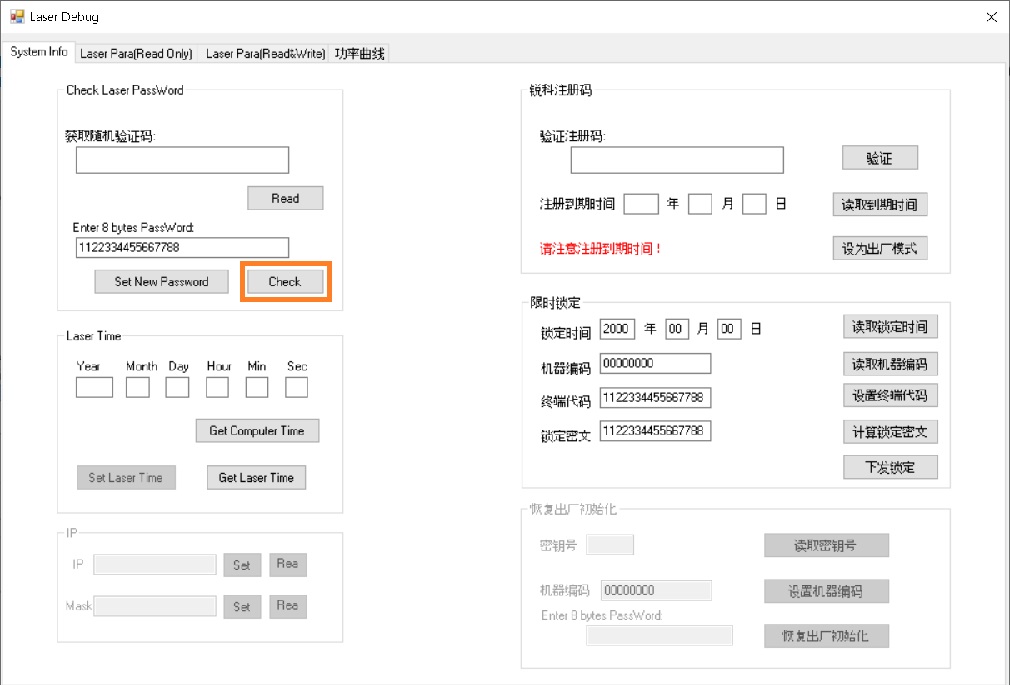
Select Laser Para (Read only) to proceed.
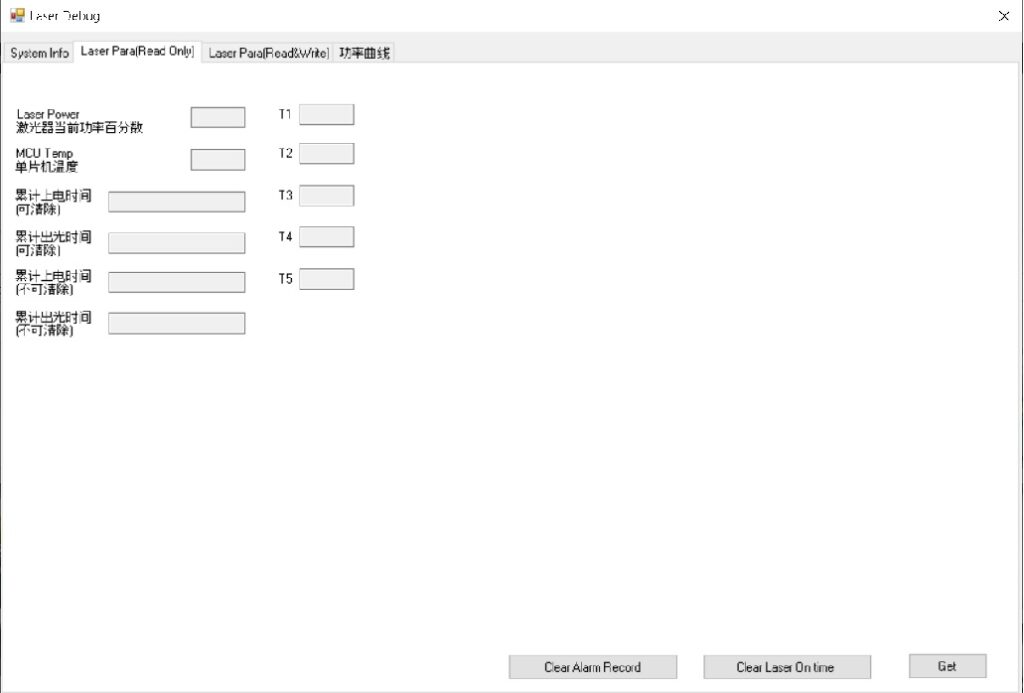
After that, you can perform the following actions:
- Clear Alarm Record
- Clear Laser On Time
- Get
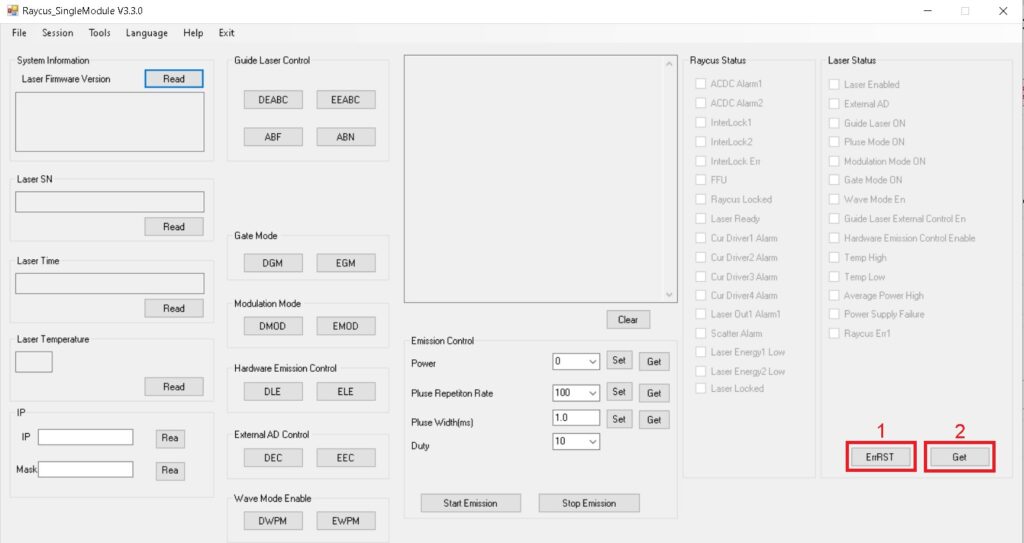
Finally, click on ErrRST followed by Get on the main page to complete the process.
Hello.
I am trying Enable Laser in the Laser Status column in the RFLXXXS software.
This is in AD mode.
Under Raycus Status column, Interlock 1 / 2 are ticked, Laser ready is ticked.
Under Laser Status column, External AD ticked, Modulation ticked, Guide Laser External Control EN ticked.
There have been no errors shown.
Start source power, wait 20 seconds, switch / connect Interlock switch 0 – 10V power control on, switch Laser Enable on.
Have tried EX_RST for 1 second, nothing seems to activate.
The Red light guide works.
The MOD+ is set to 100KHz.
Anything else I should doing.
Cheers.