
Comprehensive Guide to Letter Bending and Welding Machines in Sydney
Introduction
This post explores the supply and installation of letter bending and welding machines in Sydney, focusing on enhancing signage production and improving efficiency in the sign-making industry.
XQL-SB180 Channel letter bending machine details can be found here.
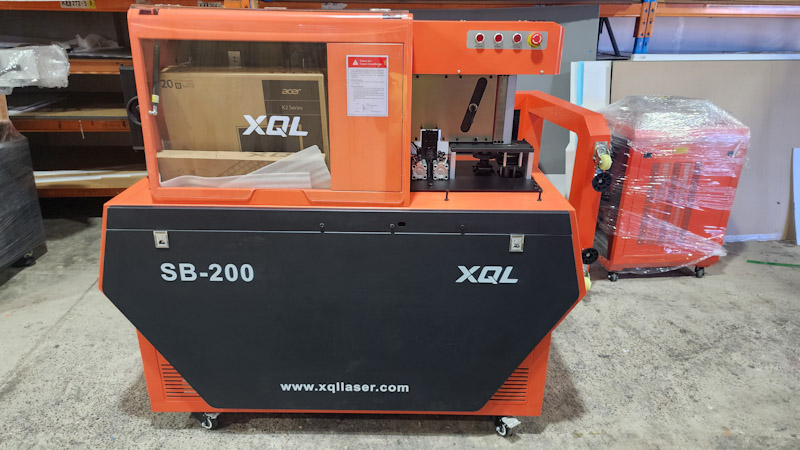
The combination of the XQL-JG300G letter welding machine and the XQL-SB180 channel letter bending machine is ideal for creating solid stainless steel 3D signage.
Learn more about the letter welding machine here.
Letter Bending and Welding Machine Installation Process
Understanding the Channel Letter Bending Machine
The channel letter bending machine operates similarly to a CNC machine in terms of its control system. It includes servo motors and stepper motors, depending on the selected machine options for enhanced precision.
The installation steps for mechanical parts and computer hardware are detailed in the following video:
Letter Bending Machine Instruction Manual
The channel letter bending machine comes with a comprehensive instruction manual available in PDF format. This manual details all aspects of operating and maintaining the machine, and it can be downloaded here.
Feeding and Bending Balance Calibration
There are multiple adjustments required for each letter bending machine. Feeding calibration is a general adjustment, and bending balance and force need to be tailored to each material’s thickness and width. Different materials exhibit unique deflection and retraction characteristics, necessitating specific parameters for optimal performance.
Operating the Letter Bending Machine
Operation begins with “device initialization.” It is crucial to load the material before homing the feeding system. Bending home and slotting home can be engaged at any point before processing. Nevertheless, the machine performs automatic homing before any procedure.
The DXF file structure is vital for effective communication with the letter bending machine. The machine software requires only straight line drawings. When using Adobe Illustrator, simplifying anchor points leads to line outputs. In CorelDRAW, it is advisable to select the “poly curves” option when exporting a DXF file.
After importing the correct DXF file, users must select the specific part required for processing.
Letter Bending Machine in Action
Following installation, the machine efficiently processes stainless steel letters.
View a sample processing of a letter in the following video:
Letter Welding Machine: An Essential Tool for Signage Production
The letter welding machine is specifically designed for efficient returns welding to the base letter. Utilizing both letter bending and welding machines together significantly enhances workflow. Typically, the base is cut using a fiber laser cutting CNC machine, while the walls and returns are crafted using the channel letter bending machine as detailed above.
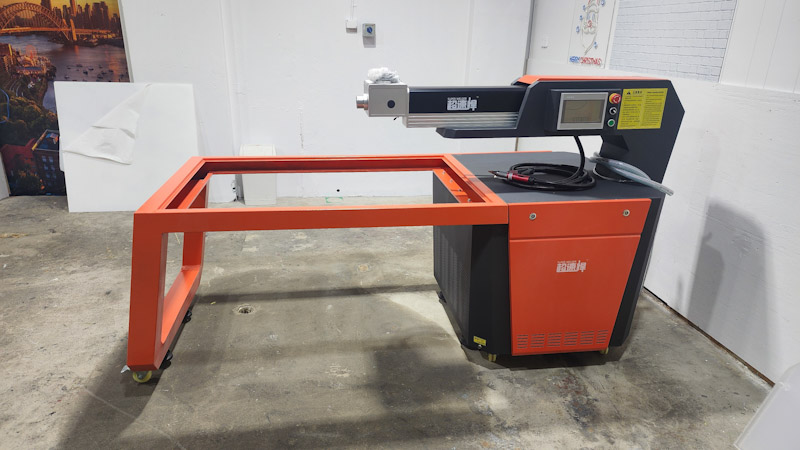
Watch the installation process of this machine in the following video:
This machine comes with a comprehensive instruction manual, available for download here.
Leveraging YAG laser technology and a user-friendly touch screen HMI for parameter settings, the letter welding machine streamlines operations effectively.
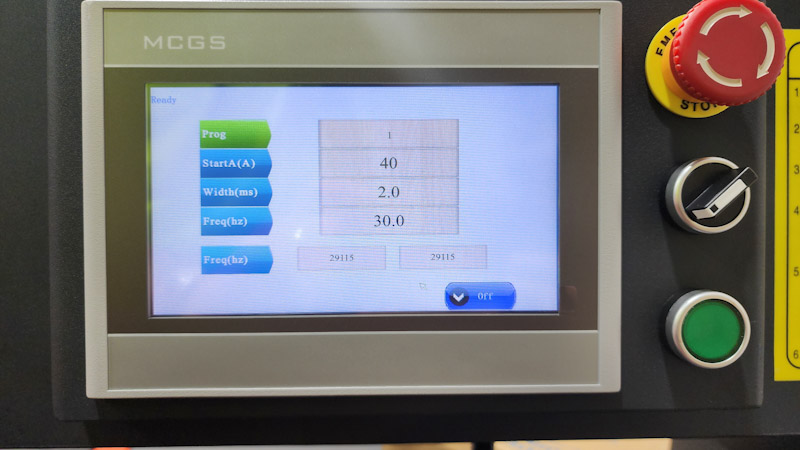
The next video demonstrates the convenience of using letter bending and welding machines in a signage production environment:
The letter welding machine features three primary adjustable parameters: current, pulse width, and frequency.
Recommended settings for optimal performance are presented in the following image:
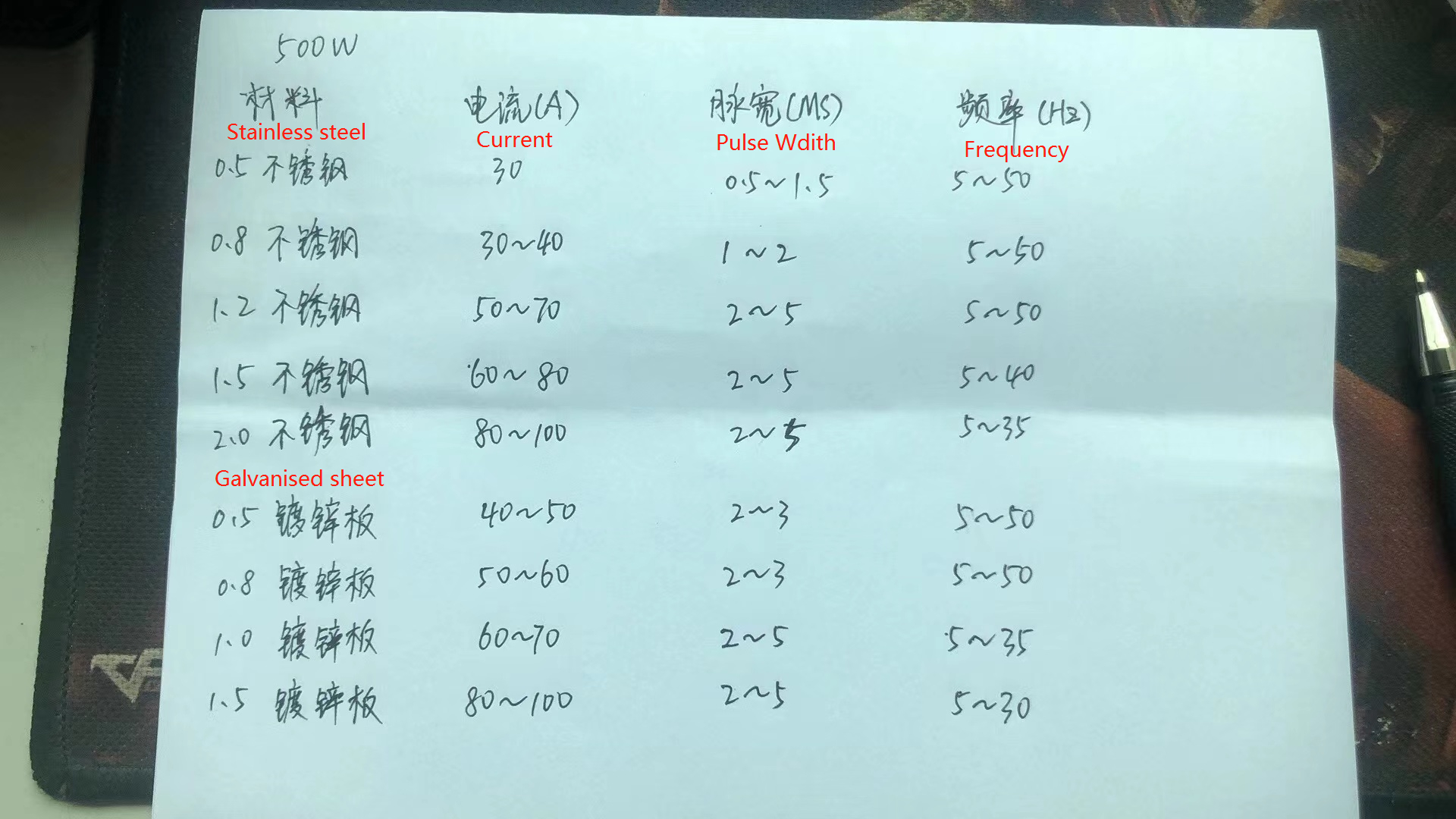
The current indicates the strength of the laser beam, while pulse width controls the diameter of the welding spot. Frequency refers to how often the laser beam is shot within a specified period.
Camera-assisted welding is suitable for small to medium-sized letters, while a handheld gun can be utilized for larger letters or hard-to-reach areas.
In general, letter bending and welding machines are suitable for stainless