
This detailed guide discusses a recent channel letter bending machine installation in Campbelltown, Sydney. The installation aimed to optimize the machine’s functionality for effective signage production.
A channel letter bending machine is essential for crafting letters in signage. It is designed to process various raw materials such as stainless steel and aluminum coils or strips, making it versatile for different signage projects.
This particular machine had been out of operation for over two years, necessitating a thorough check-up and possible troubleshooting to ensure its functionality.
To explore more of PDMach’s successful projects involving the channel letter bending machine, please check our previous works here and here.
Comprehensive Overview of Channel Letter Bending Machine Installation
Key Operation Checkpoints
To ensure proper functionality, the first step involved checking the main power connections, including those for the computer, monitor, and CNC/servo system. This ensures everything powers on correctly for optimal performance.
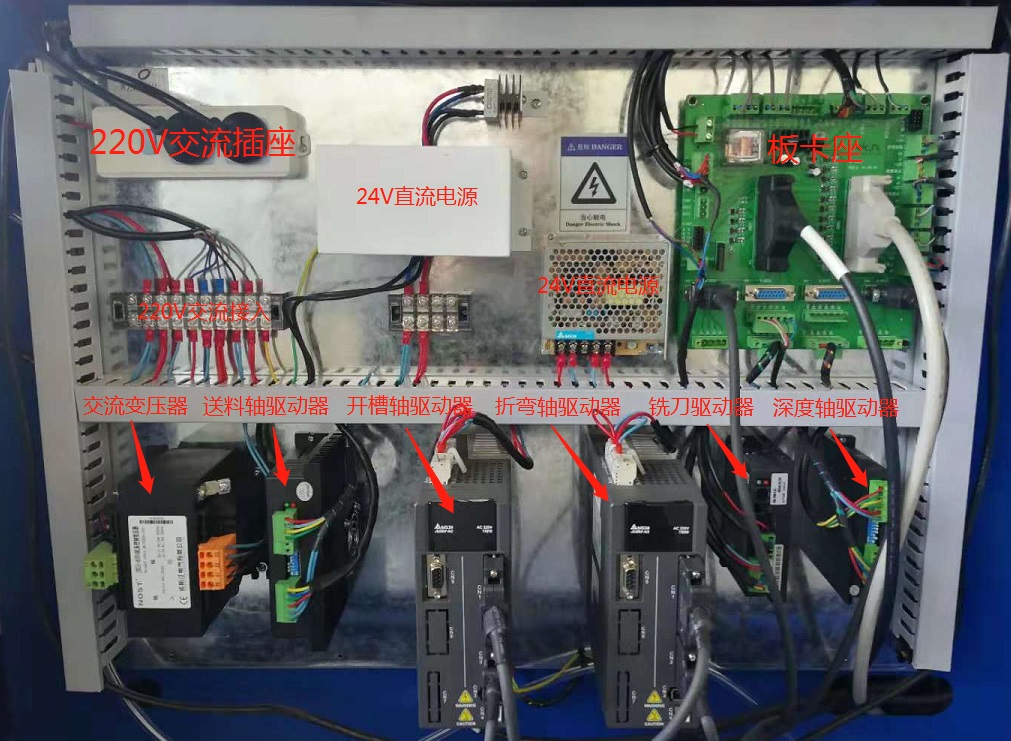
The control hardware resembles a 4-axis CNC controller, making it easy to operate for those familiar with CNC technology.
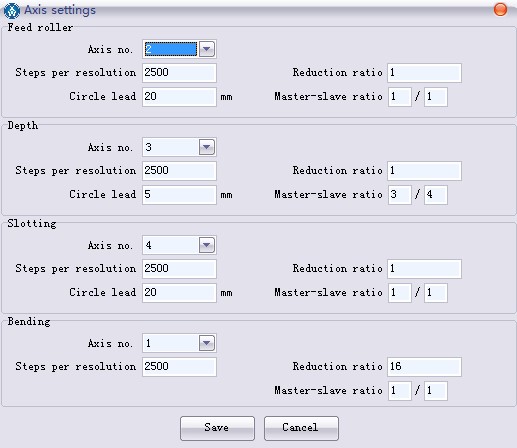
The specialized letter bending software translates the lines and curves in design files into precise movements of the feeder, left bending arm, and right bending arm. An encoder is also utilized to accurately measure strip movement throughout the process.
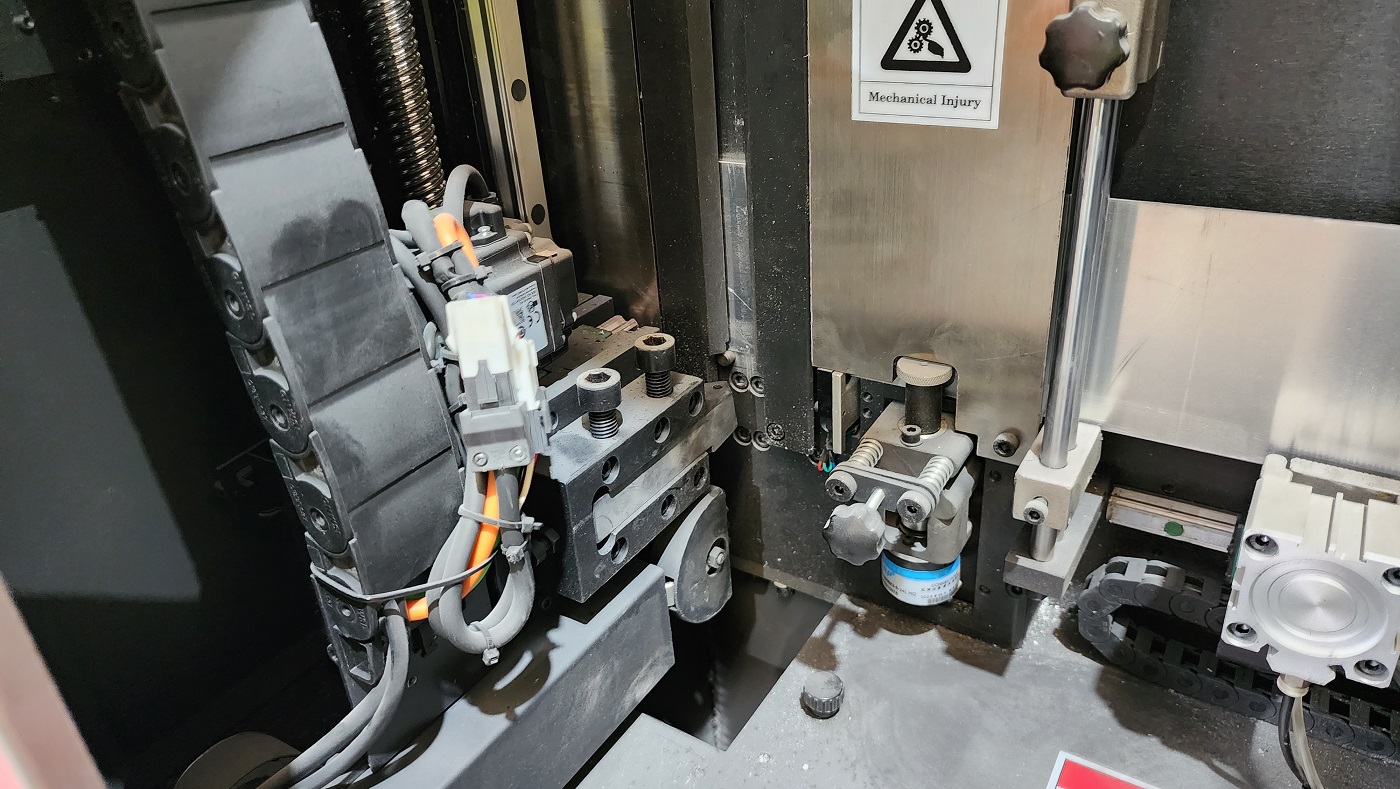
Typically, two pneumatically activated grippers guide the strip accurately into the channel for precise processing.
The settings of the machine allow operators to choose specific points for slotting or cutting. Within the material definition section, options are available to select either a knife or a cutter for slotting and cutting, making it highly effective for 1.6mm and 2.0mm aluminum materials.
Processing Control Settings: Step-by-Step
The real job begins with the “Device initialization.” It is crucial to home some of the axes to ensure the machine functions properly.
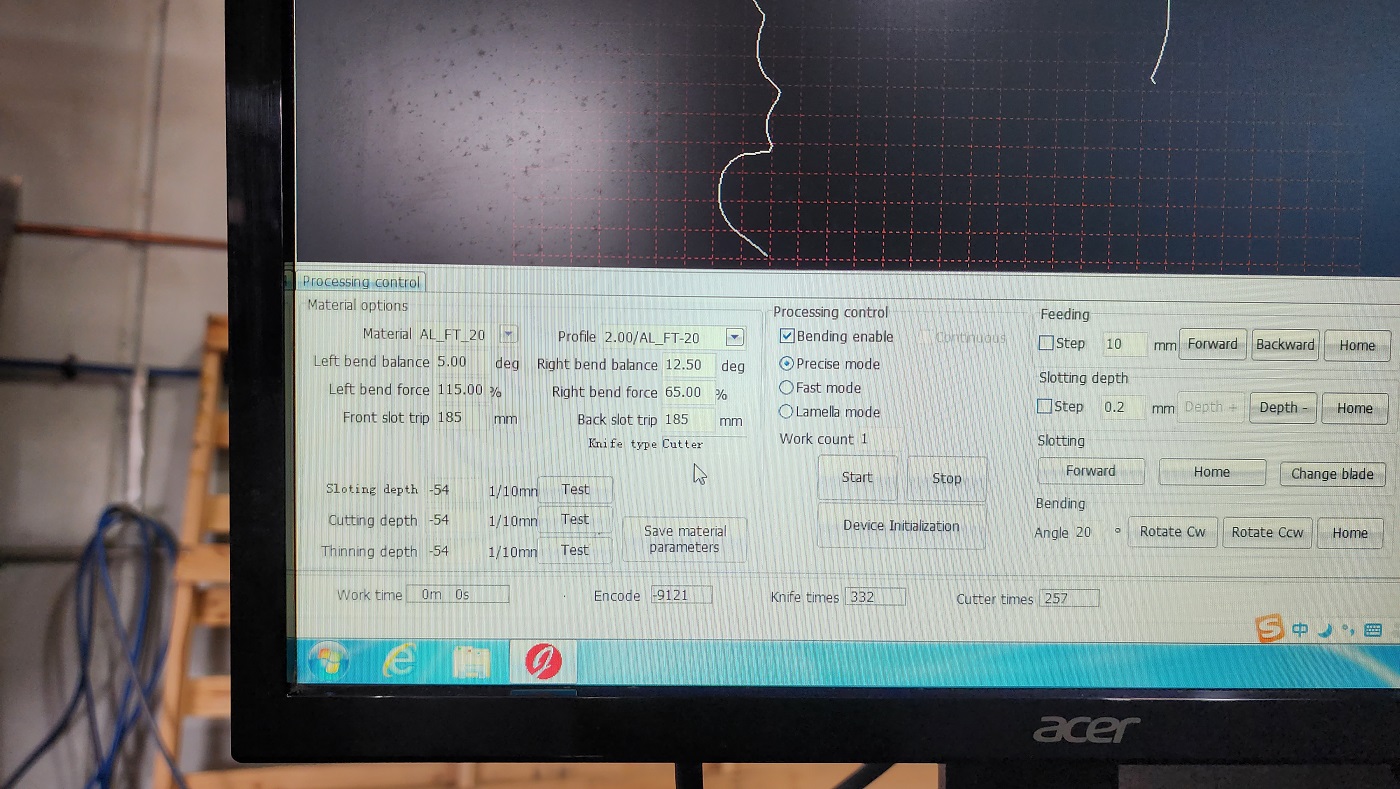
In the material setting section, it is essential to define the material and profile being used for accurate processing.

Each material and profile has a standard template to check bend balance and force, critical for producing quality outcomes.
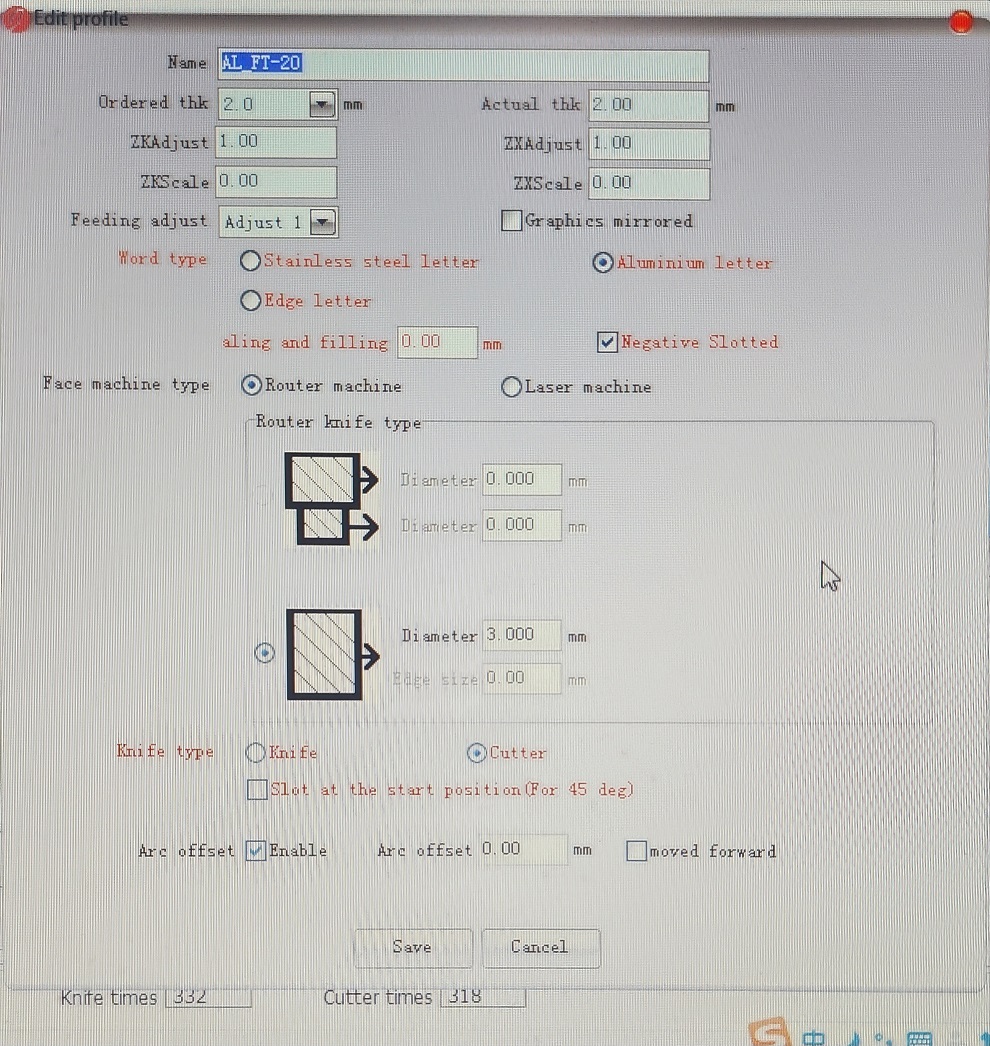
For every single material, thickness, and strip width, the bend balance and force must be accurately determined for successful processing.
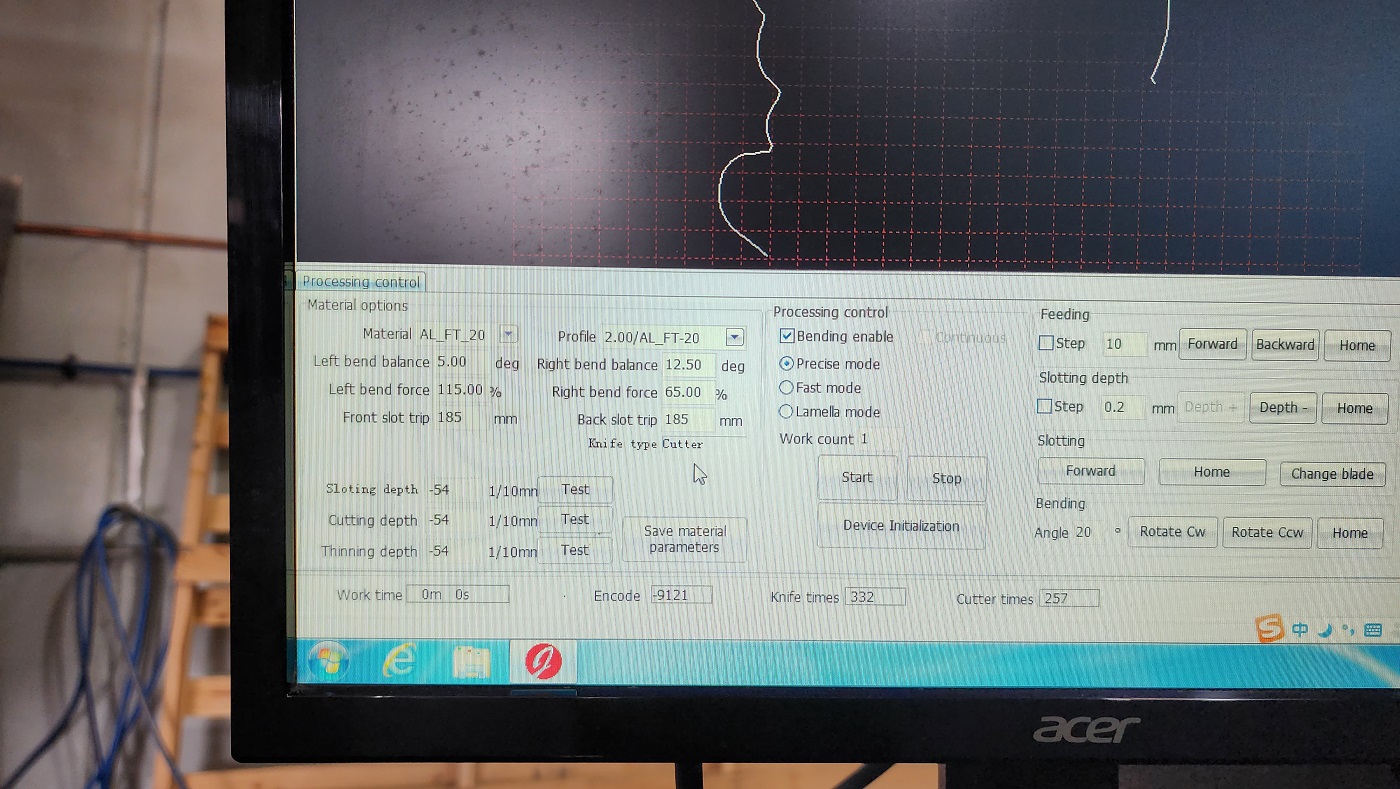
Calibrating Your Channel Letter Bending Machine: A Guide
Demonstrating Sample Processing
Optimizing Imported DXF Files for Channel Letter Bending Machine
The ideal DXF file for channel letter bending machines consists predominantly of straight lines. Complicated shapes, such as splines and intricate curves, can create processing challenges that hinder efficiency.
To improve processing outcomes, use commands like “Simplify” in software such as Adobe Illustrator or AutoCAD, or “Clean UP” in EnRoute. These tools can help convert complex objects into simplified straight-line segments, making them easier for the machine to process.